AudioRouterNow
One source · every output · at once

Route your Mac's audio to headphones, speakers and interfaces, all at once.
No driver. No restart. Sandboxed. Free.

Download on the Mac App Store

macOS 14.4+  ·  Free  ·  Open Source (Apache 2.0)

Running macOS 11–14.1? Or looking for the source code? ›

AudioRouterNow v3.4.4 runs on macOS 11 Big Sur and later. It uses a HAL audio driver instead of the sandboxed Process Tap API. A one-time admin password is required to install the driver.

macOS 11+  ·  Apple Silicon  ·  GPL-3.0  ·  Free
brew install --cask mauriciomorkun/tap/audiorouternow

Both versions are open source. The full code for the App Store app (v4, Apache 2.0) and this legacy build (v3.4.4, GPL-3.0) is public on GitHub.


🔀

Every output at once

Speakers, headphones, your studio interface, all playing together. And your volume keys still work, unlike macOS Multi-Output.

🔒

Sandboxed. No driver.

Built on Apple's Process Tap API: no HAL plugin, no kernel extension, no admin password. One click in the App Store, done.

One click. It remembers.

Pick outputs from the menu bar. Plug in a device, it shows up instantly. Reboot. Your setup is still there.

✂️

Not a mixer. No restart.

No mixer, no routing diagram, no per-app rules. Pick your outputs, click once, done. No restart, no setup wizard.

AudioRouterNow 4 — in action

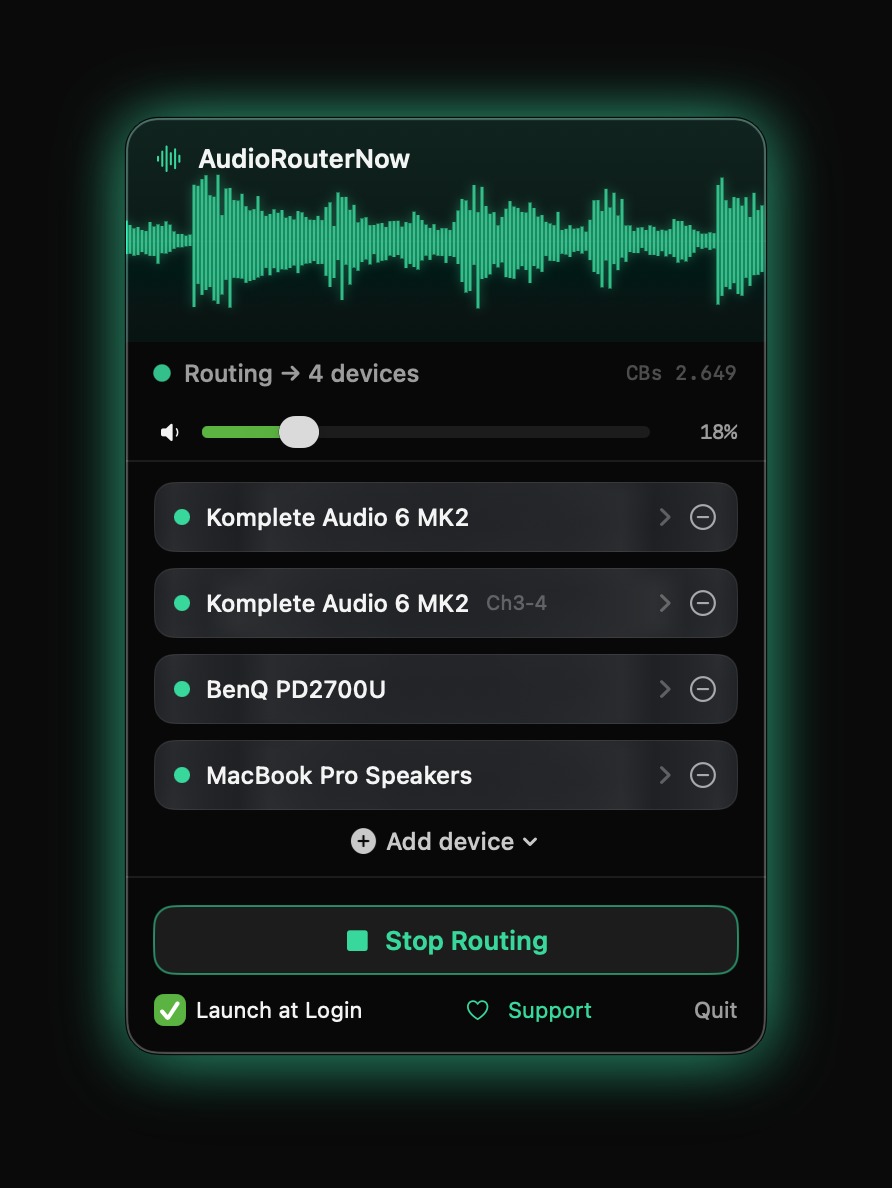
One source. Every output. Route to any combination of outputs
AudioRouterNow routing to 4 devices simultaneously
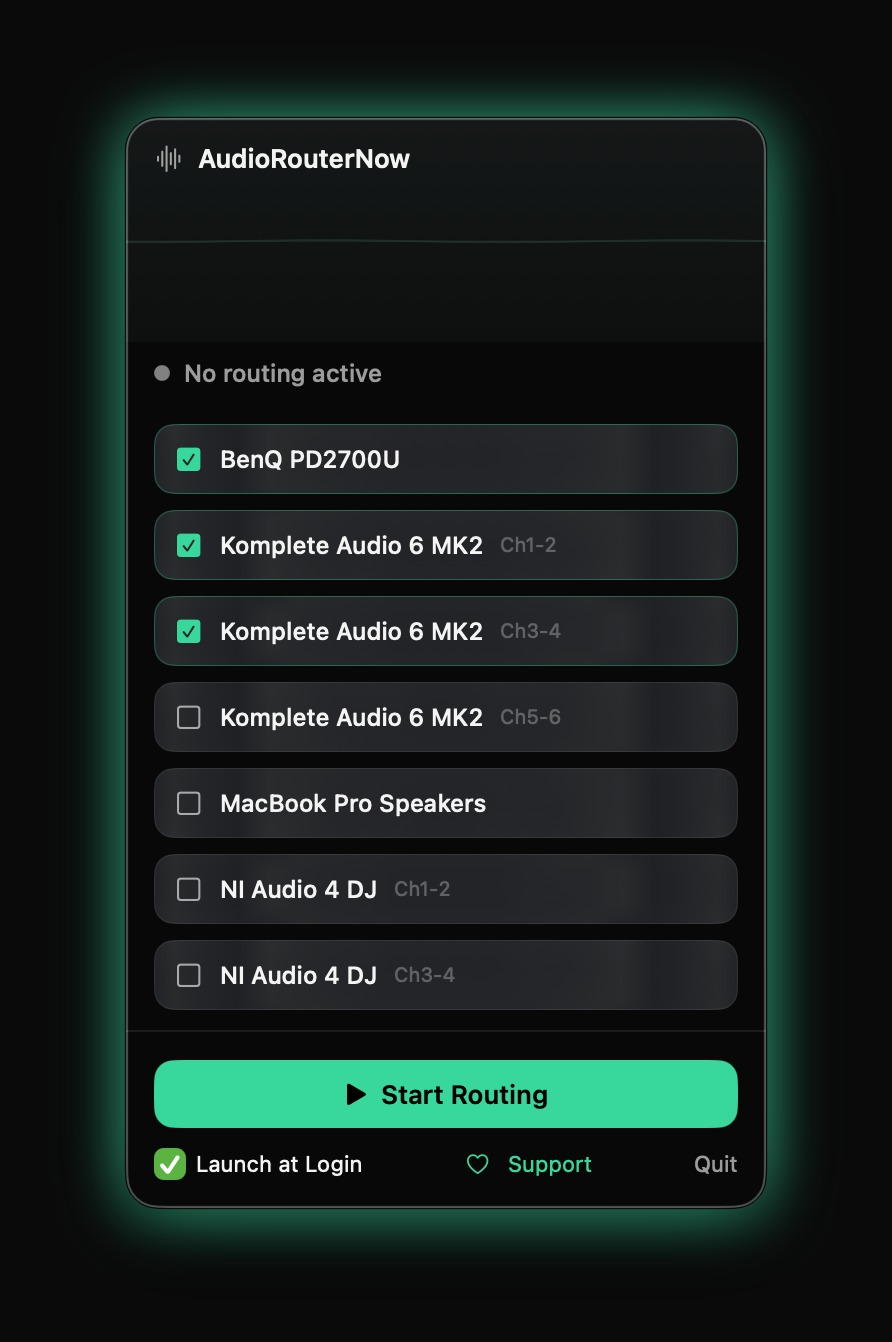
Pick the exact channels. Select exact channel pairs per interface
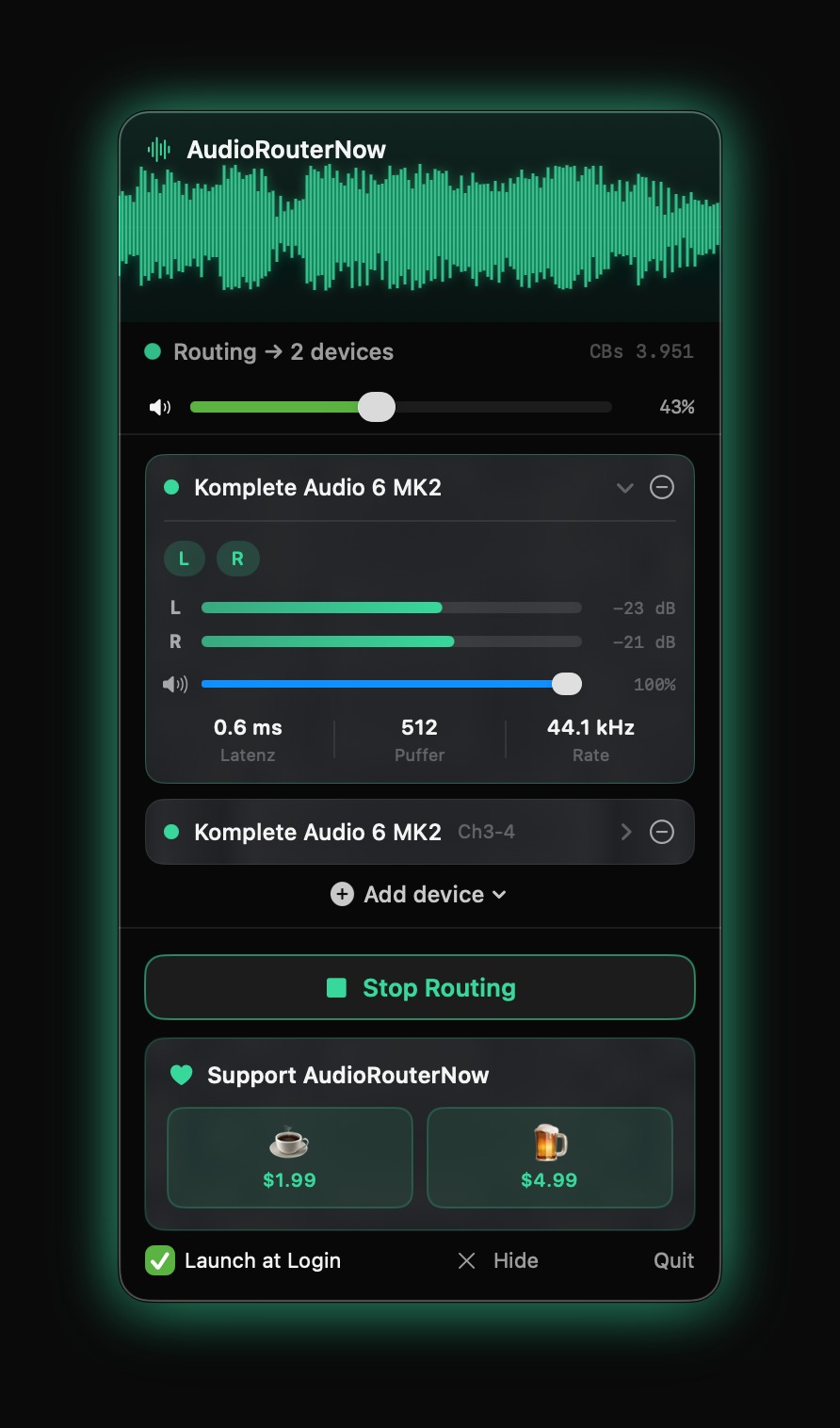
AudioRouterNow — free with optional tip jar
Full control. No driver. Per-device L/R meters · latency · sample rate
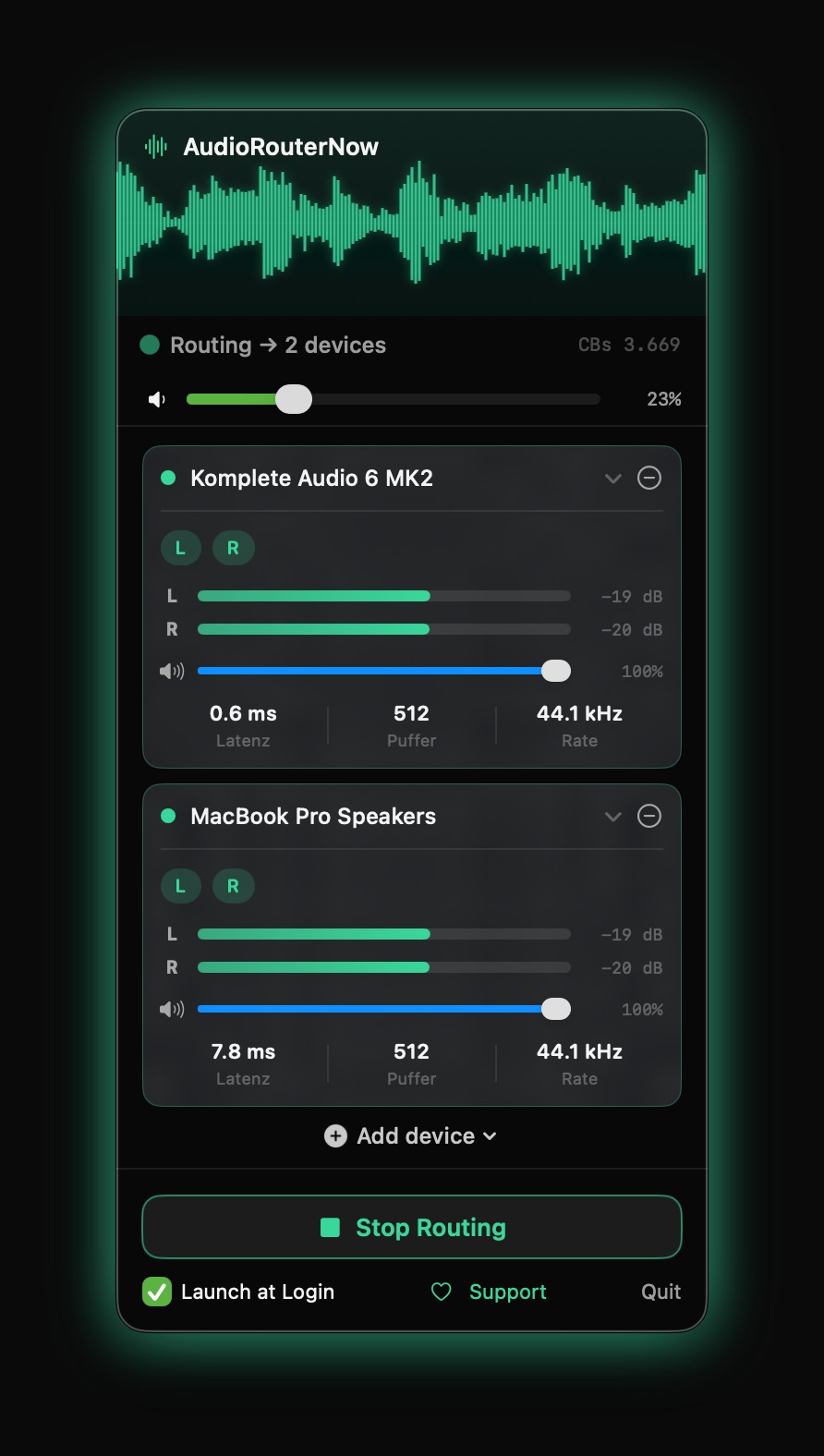
Per-device level meters and latency display
Free forever. Optional tip jar — no subscription, ever.
Select exact channel pairs per device

Why this exists

This started because I wanted active studio monitors and a passive pair on an amp running at the same time, off one interface. I assumed macOS had a setting for that. It doesn't. Audio MIDI Setup gets you a Multi-Output Device, but it breaks your volume keys and falls apart every time a device changes. A mixer would have solved it, but I didn't want another box on the desk. So I had this built instead. When it worked, there was no reason to keep it to myself. That's why it's free.

Want to mix sources, add effects, or route per app? Get Loopback or Audio Hijack. AudioRouterNow does one thing: one source, every selected output.

✓ Sandboxed by Apple ✓ Free forever ✓ No account required ✓ No subscription ✓ Open-source roots
System macOS 14.4 Sonoma or later
Architecture Apple Silicon (arm64)
Version 4.0 · App Store
License Apache 2.0 (Free & Open Source)
Distribution Mac App Store · Sandboxed